
Download Gita GPT – Bhagavad Gita, spiritual guide, life advice, Hindi, English, Gujarati, offline access, Gita quotes, daily wisdom, self-improvement, Krishna teachings, devotional app, spiritual growth, life solutions, Gita chat, Gita translation, Gita audio, Gita reader, Gita app, spiritual app, Gita wisdom, Gita knowledge, Gita insights, Gita teachings, Gita solutions, Gita answers, Gita for beginners, Gita for advanced readers, Gita for daily life, Gita for mindfulness, Gita for peace, Gita for clarity, Gita for strength, Gita for motivation, Gita for focus, Gita for balance, Gita for inner peace, Gita for self-awareness, Gita for purpose
Overview
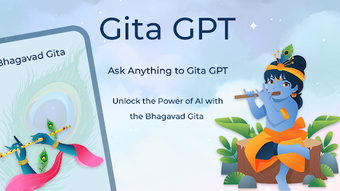
Gita GPT is a mobile application designed to deliver the timeless wisdom of the Bhagavad Gita to users through a modern, accessible interface. The app aims to serve as a spiritual guide, offering users daily insights and practical life advice rooted in ancient teachings. It supports multiple languages, including Hindi, English, and Gujarati, enabling a broad audience to engage with the text in their preferred linguistic format. The application allows users to access the full Shrimad Bhagavad Gita, even in offline mode, making it a reliable resource for personal reflection, spiritual growth, and mindfulness practices.
Target users include individuals seeking guidance for personal challenges, those interested in devotional learning, and both beginners and advanced readers of the Gita. The app’s integration of a chat feature allows users to pose questions and receive answers derived from the Gita’s teachings, aiming to provide clarity on matters related to purpose, balance, strength, and inner peace. Real-world usage scenarios include morning meditation, daily reflection, or seeking solutions during moments of uncertainty. The developer, Gita GPT, has positioned the app as a tool for self-improvement and spiritual development, emphasizing accessibility and usability across different life stages.
Key Features & Capabilities
- Multi-language access – Read the Bhagavad Gita in Hindi, English, or Gujarati, ensuring inclusivity for a diverse user base.
- Offline mode support – Access the full Gita content without an internet connection, ideal for travel or areas with limited connectivity.
- Favorite sloks – Save and organize specific verses for quick reference and repeated reading.
- Chat GPT integration – Ask questions and receive answers based on Gita teachings, designed to help users navigate personal and existential challenges.
- Translation feature – Convert selected sloks into other languages with a single tap, enhancing understanding and accessibility.
- Audio playback – Listen to the Gita verses, aiding comprehension and supporting auditory learners or those practicing mindfulness.
- Beautiful interface – A clean, intuitive design enhances readability and user engagement during prolonged use.
These features collectively support a holistic engagement with the Gita, enabling users to read, reflect, listen, and interact with the text. The ability to translate and listen to answers makes the app suitable for both casual readers and those seeking deeper spiritual insights. The chat function adds a dynamic layer, transforming the Gita from a static text into an interactive guide. This approach aligns with modern digital learning habits while preserving the authenticity of the source material.
User Interface, Workflow & Performance
The user interface of Gita GPT is structured around simplicity and clarity, featuring a clean layout that prioritizes readability. Navigation is intuitive, allowing users to switch between language options, browse the full text, access the chat feature, and manage saved verses with minimal effort. The workflow is streamlined, with key actions such as searching for a slok, translating a passage, or adding a favorite accessible through a few taps.
Performance details were not specified by the developer. However, based on the app’s size of 15.5 MB and its focus on offline functionality, it appears optimized for efficient operation on mobile devices. The app likely uses minimal system resources, though exact CPU or RAM behavior was not provided. Stability is assumed to be consistent, given the app’s purpose as a reference and spiritual tool. No performance benchmarks or user reports were included in the release information.
Compatibility & System Requirements
Gita GPT is available for both Android and iOS platforms, making it accessible to a wide range of mobile users. The app supports the latest versions of these operating systems, though specific version numbers were not listed. Installation requires approximately 15.5 MB of storage space, which is relatively modest for a feature-rich application. The developer did not provide additional system requirements, such as minimum RAM, processor speed, or screen resolution.
Exact system requirements were not listed. Compatibility information is limited to the operating systems mentioned. Users are advised to ensure their device meets the standard requirements for running modern mobile applications. The app’s offline functionality suggests it is designed to function smoothly on devices with varying performance levels, but specific hardware recommendations were not disclosed.
Pros and Cons
Pros
- Supports multiple languages including Hindi, English, and Gujarati
- Offers full offline access to the Bhagavad Gita
- Includes a chat feature for personalized spiritual guidance
- Allows users to favorite and organize sloks for easy access
- Provides translation and audio playback for enhanced comprehension
- Lightweight at 15.5 MB, suitable for low-storage devices
- Free to download and use, with no upfront cost
Cons
- Exact performance and resource usage details were not provided
- No information on update frequency or future feature roadmap
- Developer background and company details are not publicly available
- Offline mode may limit real-time chat responses if the AI component requires internet
- Limited transparency on data handling and privacy practices
FAQ Section
Is Gita GPT available for both Android and iOS?
Yes, Gita GPT is compatible with both Android and iOS devices, allowing users across different platforms to access the application.
Can I use Gita GPT without an internet connection?
Yes, the app supports offline access to the full Bhagavad Gita, enabling users to read and listen to verses without an internet connection.
Is the app safe to use and secure?
The app is free and designed for personal spiritual use. However, specific security or privacy policies were not disclosed by the developer.
Does Gita GPT require a subscription or paid plan?
No, the app is currently free to download and use with no subscription or in-app purchase requirements.
Can I translate Gita verses into other languages?
Yes, the app includes a one-tap translation feature that allows users to convert selected sloks into other languages.
Final Thoughts + CTA
Gita GPT presents a compelling fusion of ancient wisdom and modern technology, offering a portable spiritual companion for users seeking guidance, clarity, and inner peace. Its multilingual support, offline functionality, and interactive chat feature make it a versatile tool for both beginners and experienced readers of the Bhagavad Gita. While some technical and transparency details remain unspecified, the app’s core functionality is well-aligned with its purpose as a devotional and self-improvement resource.
Individuals interested in daily wisdom, mindfulness, or personal growth will find value in integrating Gita GPT into their routine. Whether used for reflection, learning, or problem-solving, the app delivers accessible insights from one of the world’s most revered spiritual texts.
Download Gita GPT now






.png)
